
On this page
Getting Started
Create an account and make the first Chaka Markets deposit.
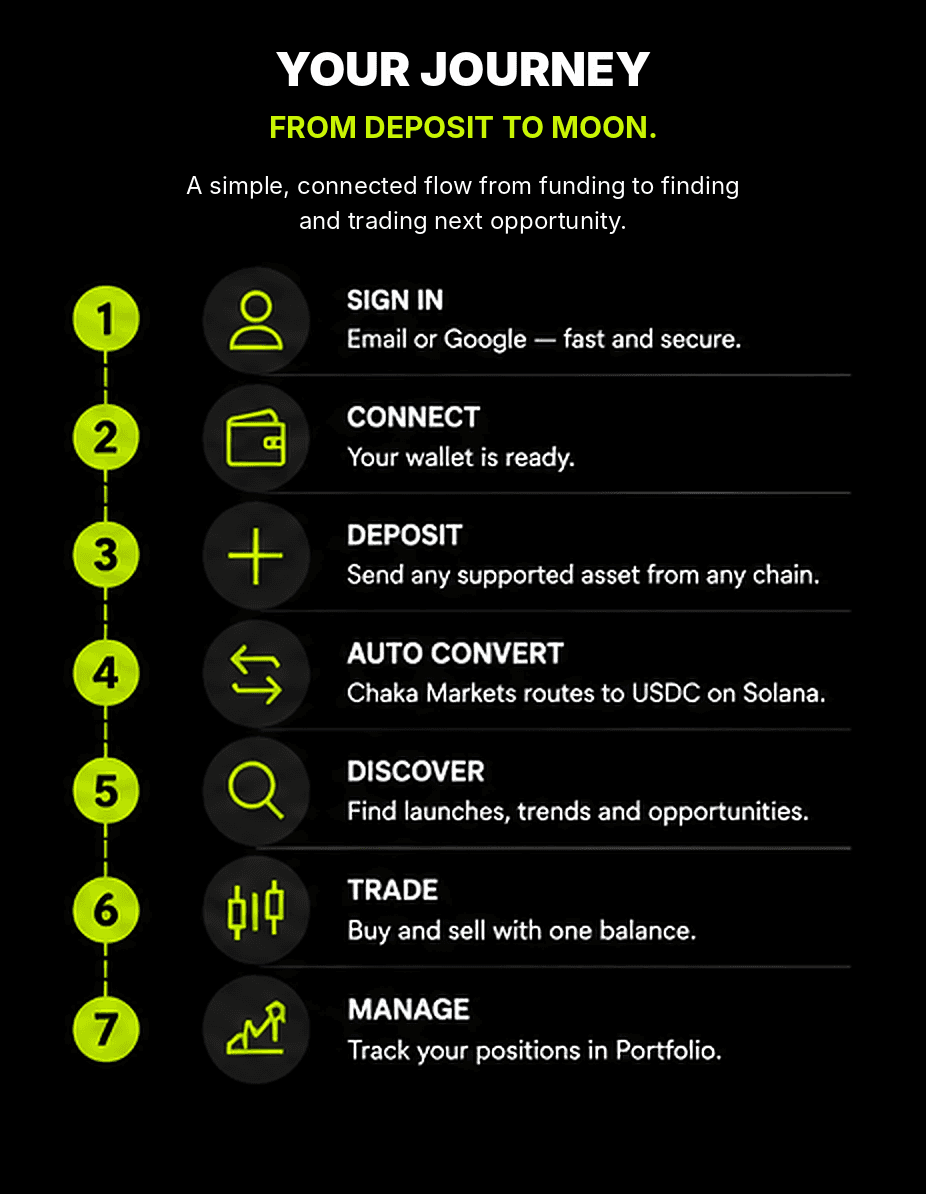
Getting started is one connected journey: sign in, confirm the account, choose what you already hold and let Chaka Markets convert it into the USDC Universal Balance on Solana.
The user does not need to create a separate wallet for every launchpad or manually move funds through several bridges before using the marketplace.
1. Sign in
Select Sign In, then continue with an enabled method such as Email or Google. Complete the verification step shown by the login provider.
Once the account is verified, Chaka Markets connects the wallet identities required for supported Solana and EVM activity. The same Chaka Markets account keeps those identities together.
2. Review the Account page
Before depositing, open Account and confirm:
- the correct verified Email or Google identity;
- the connected Solana wallet address;
- the connected EVM wallet address;
- the security, recovery and export options available to the account.
The Chaka Markets display name and profile image can be personalised without changing the verified login identity.
Never share a private key, seed phrase, recovery code or one-time login code.
3. Open Deposit
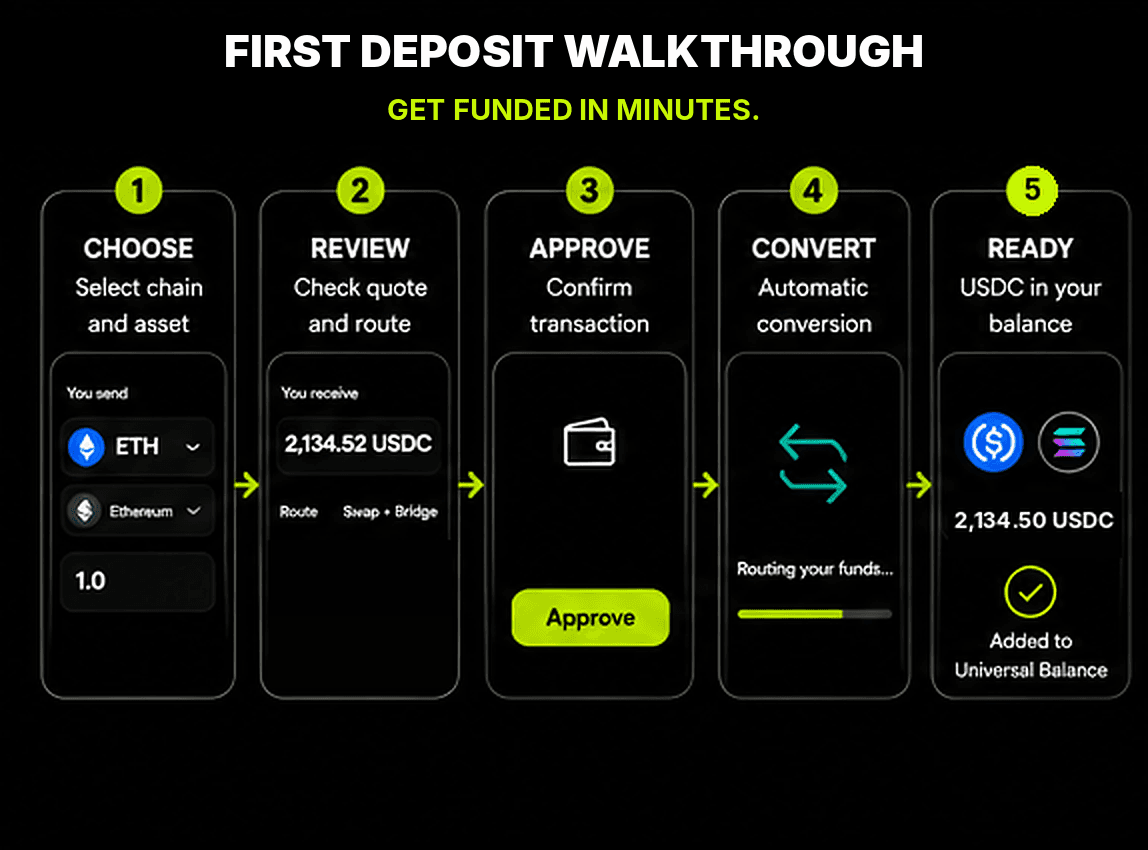
Open the Chaka Markets Universal Balance and select Deposit.
Choose:
- the supported chain where the funds currently sit;
- the supported crypto asset being sent;
- the amount to deposit.
The input does not need to be USDC. A user may deposit another supported on-chain asset where a valid route is available.
4. Review the USDC outcome
Chaka Markets prepares the route and displays one confirmation before the transaction is approved.
Check:
- source chain and source asset;
- amount being sent;
- expected native USDC received on Solana;
- minimum USDC received;
- swap, bridge or routing path;
- estimated completion time;
- external network, provider, swap and liquidity costs;
- the 0% Chaka Markets platform fee on deposit, conversion and routing.
Quotes can expire. Refresh the quote when the market or route has changed.
5. Approve and monitor
Approve only when the final confirmation matches the intended asset, chain and amount.
Chaka Markets then monitors the route while the deposit is swapped, bridged or transferred as required. The activity status should make it clear whether the route is awaiting approval, submitted, processing, confirmed or failed.
6. Receive USDC and enter the market
When the route confirms, native USDC appears in the Chaka Markets Universal Balance on Solana.
The user can then open Discover, find a token, verify its contract and market information, and review a fresh trade quote.